I recently delivered a live Microsoft 365 Copilot Chat training for a customer in Finland. It was the first time I had done this kind of Copilot-focused end-user training as an in-person session, which made it a useful test case in more ways than one.
The course foundation itself came from Microsoft’s standard end-user material: “MS-4023-A: Transform Ideas into Action with Copilot Chat“. There was nothing wrong with that. Still, as with many vendor-provided training decks, the examples were generic enough that they would have been easy for the audience to follow and just as easy to forget. The material explained what Copilot Chat can do, but it did not yet connect that story tightly enough to the kind of work these users actually do.
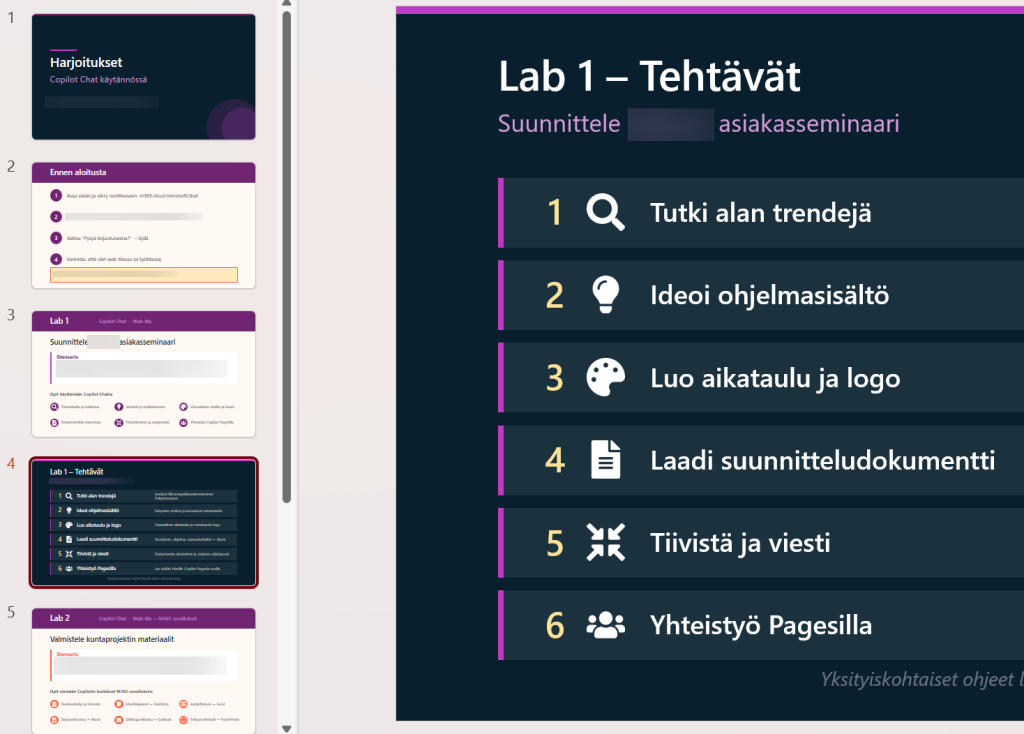
So I added a light layer of customization on top of the standard structure. The point was not to rebuild the course from scratch, nor to turn it into a big consulting exercise. It was simply to replace a few abstract examples with prompts, demos, and small hands-on tasks that felt recognizably close to the customer’s own world.
Why the standard course didn’t cut it
The problem with generic AI training is rarely the tool itself. More often, the problem is that the examples remain too far away from the audience’s daily work. A fictional planning task or a bland office-document exercise may demonstrate the feature set well enough, but it does not necessarily answer the question users actually have in mind: where would I use this tomorrow?
Here, the improvement came from grounding the session in realistic business tasks. The labs were framed around customer-facing events, proposal preparation, comparing solution options, drafting communications, and reusing internal reference material. None of that was technically complicated. In many places the participants were simply copying prompts and refining them step by step. Yet the difference in attention and discussion was obvious, because the exercises no longer felt like filler.
I would not overstate the amount of customization needed, either. This was not a grand reinvention of the course. It was a modest amount of extra work applied in the right places.
Honest, responsible AI in the real world
The other part that mattered was honesty. AI training becomes much less useful if the trainer spends the session trying to make the tools look more magical than they are. That may create a momentary impression, but it does not help users build a reliable mental model of when the tool is useful and when they still need to slow down and check the output carefully.
In practice, that meant being explicit about things like:
- estimates and prices produced by Copilot are drafts, not facts
- reference details still need checking
- a polished-looking answer can still be wrong
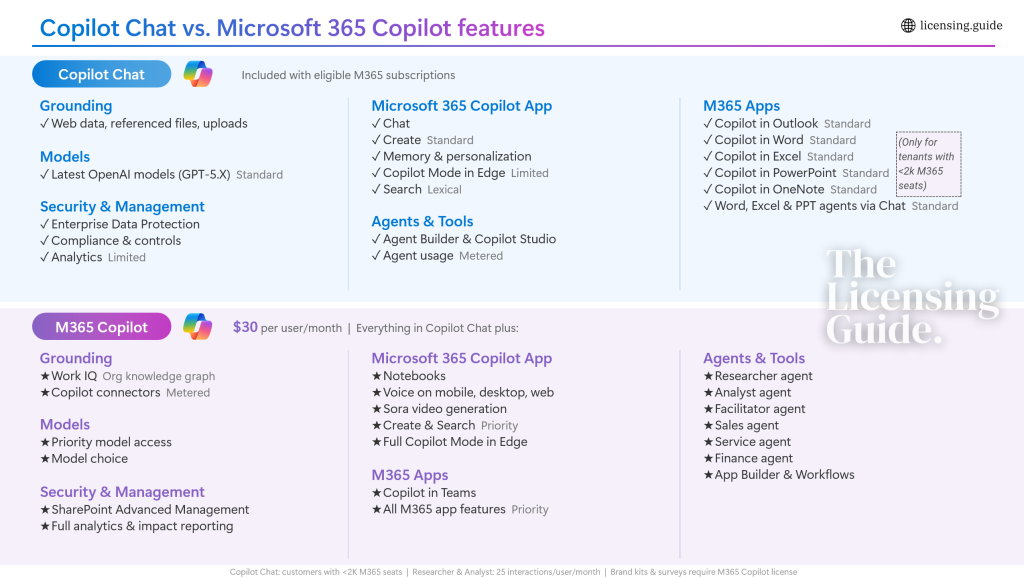
- the free and paid Copilot tiers are not the same thing
The licensing boundary deserves a special mention. Microsoft keeps adjusting the story around Copilot Chat, app integration, agents, and what sits in the free layer versus what requires an added license. I write about that side in more detail on The Licensing Guide, because it is a topic with plenty of nuances to cover. Still, even in end-user training, it needs to be explained clearly enough that people understand what they are actually seeing on the screen and what they should not expect to get from their current license.
The ROI of doing things well vs. just “delivering”
The payoff did not come from volume. It came from choosing a few places where adaptation clearly improved the session. For example:
- one custom lab used the customer’s type of sales and proposal work as the scenario
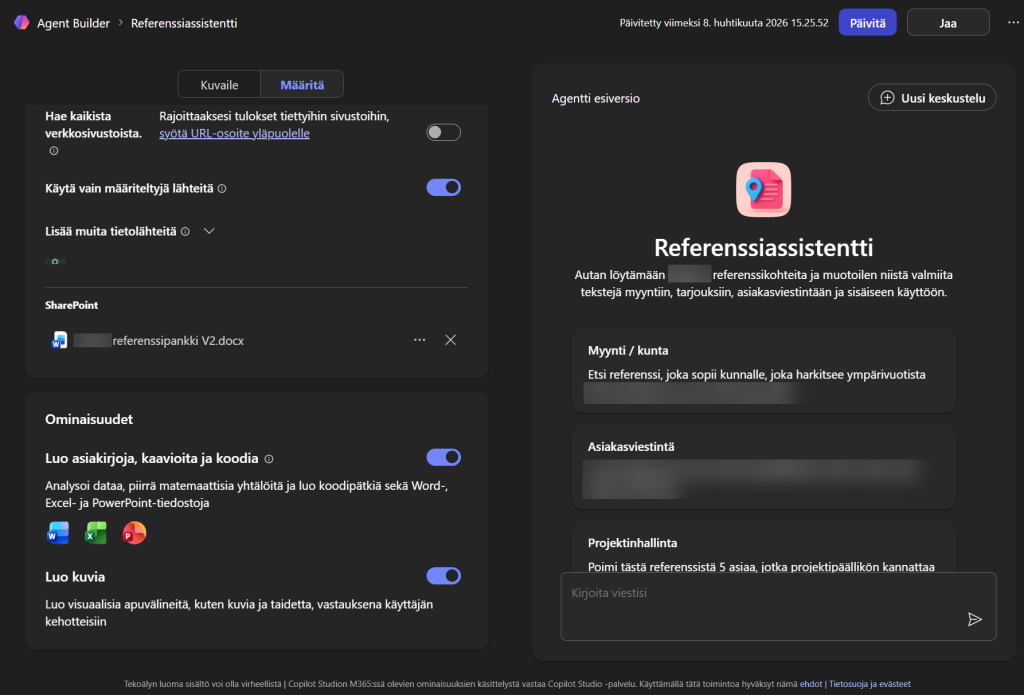
- one demo used a grounded Copilot agent with a constrained knowledge source instead of generic “AI magic”
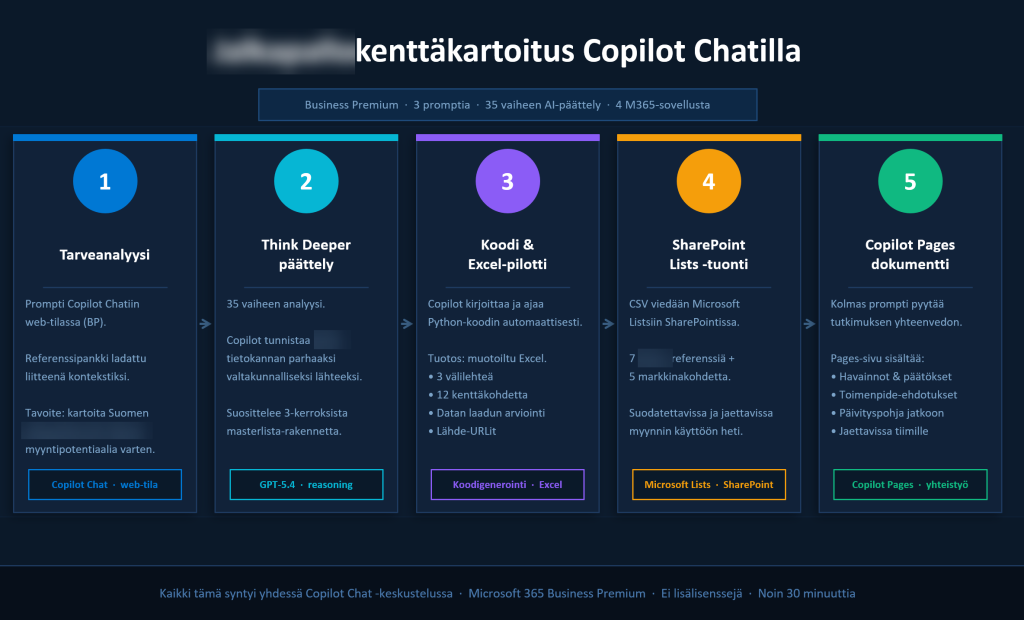
- one stretch example showed how far even the non-premium Copilot Chat experience can go when the task, prompts, and workflow are designed properly
This is a level of customization that remains commercially realistic. It does not require months of preparation. It does require enough understanding of the customer’s business questions to replace generic filler with something more concrete. Once that structure exists, it can be adapted again for the next customer without starting from zero each time.
Learning by doing, growing by building
This was also useful for me personally. A lot of my time has gone into the more structural side of the Microsoft AI story: licensing, governance, platform architecture, admin implications, and the persistent gap between the official messaging and what customers actually get. That work is not going away, and it remains one reason I publish regularly on The Licensing Guide.
There is also clearly room for user-focused training that is neither shallow nor theatrical. Many organizations do not need another generic AI awareness session. They need help showing their own people where these tools fit, what the limits are, and how to approach them without either hype or cynicism.
I can see a good format here for organizations that want:
- a focused half-day Copilot Chat introduction for business users
- a longer workshop with customer-specific labs and demos
- a combined package where user training is backed by clearer licensing and rollout guidance
The useful version of this is not a broad “here is Copilot” presentation, but a session that helps people see how the tools fit their own work, where the boundaries are, and what is worth doing next.
How to prepare Copilot training for your own team
When shaping a similar session for another customer, I would not start from the feature list that Microsoft provides. I would start from a few simpler questions:
- which roles are in the room
- which real tasks waste time today
- what people are allowed to access with their current licenses
- which examples would immediately feel familiar
That is usually enough to tell whether the training will remain generic or become useful.
If your organization is considering this kind of training in Finland (or remotely elsewhere), please feel free to get in touch. This can fit a one-off session, a block of advisory hours to shape the material, or a small custom project where the training is built around your own scenarios and examples.
And if the first question is not training but licensing, I am already covering that side in depth on The Licensing Guide. Check out my deep dive post on Copilot Chat Basic vs. Microsoft 365 Copilot premium features. As always, I’m happy to provide 1:1 professional advise on these tricky topics.